Signal Amplification
-20250226-122529.png?inst-v=1b3ef15f-234e-4fe2-abc7-7b8b8b837077) |
|
The signal strength received by the radar sensor is crucial for reliable measurements. In OndoControl , it is visualized by the amplitude of the spectrum.
Optimizing Sensor Alignment
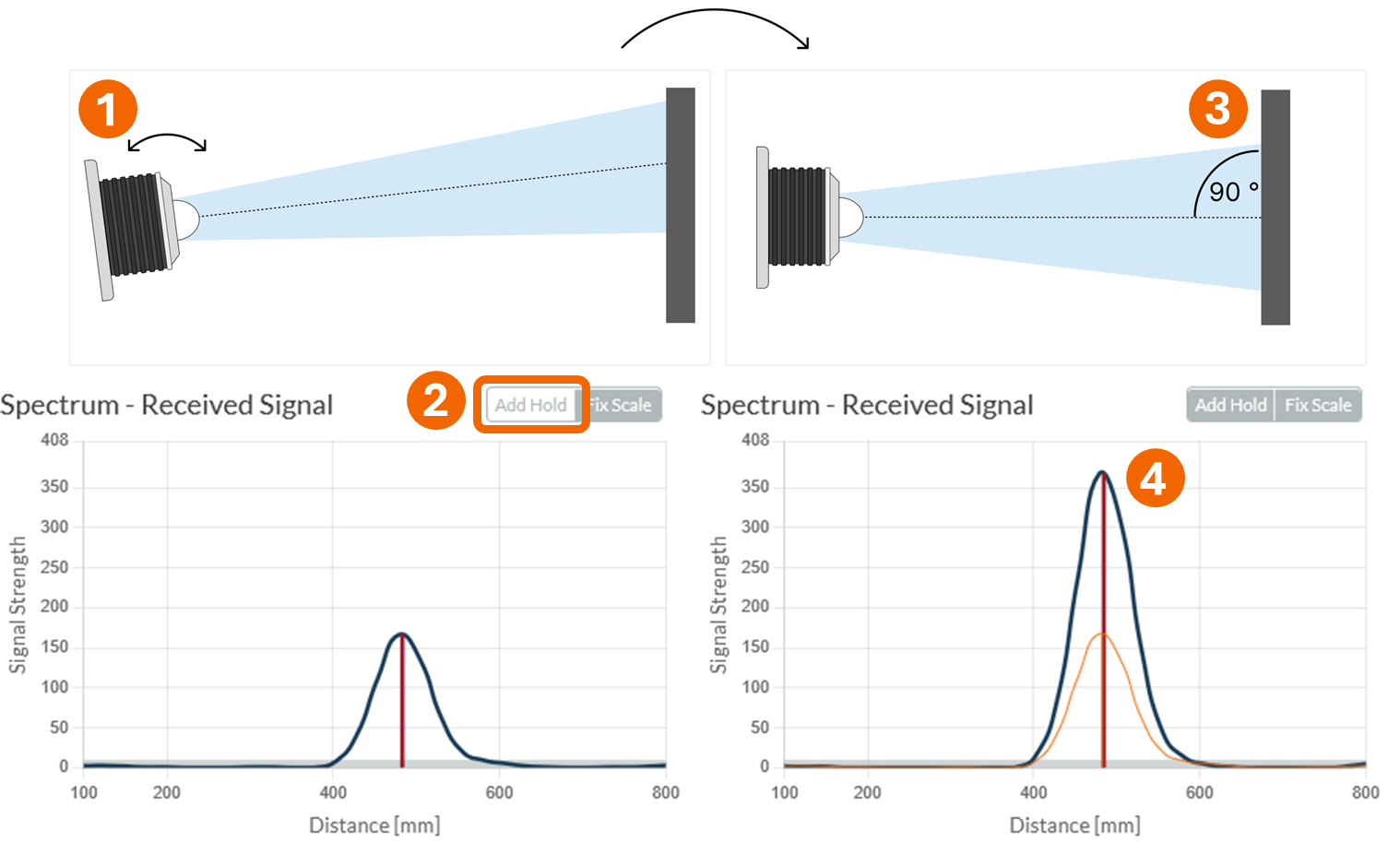
Roughly align the sensor towards the measurement target as seen in the left part of the figure below.
In the Spectrum chart, enable Add Hold to monitor whether the signal strength increases or decreases during alignment.
Manually adjust the sensor step by step and compare the current signal strength with the previous signal shown by the orange reference line.
Continue adjusting until you achieve the highest possible signal strength. If the target is perpendicular to the sensor the signal strength is maximized.
Optimize Signal: Once you are done, click on OPTIMIZE SIGNAL to further optimize the signal strength. If the target is in motion, it's recommended to use OPTIMIZE SIGNAL when the target is positioned at its maximum distances.